
TAPECHILD / DRUM SYNTHESIS
What is a drum synth? How drum synthesis works
A drum synth is an instrument that generates drum sounds from oscillators, noise, filters and envelopes each time a note is triggered, instead of playing back a recording. Where a sampler replays a recorded hit, a drum synth calculates a new one on every note, so the pitch drop, the noise and the length of the hit stay separate controls.
A kick is a low sine wave with two envelopes on it; a snare is a short tone plus a burst of filtered noise. This guide covers what each block does, four recipes with starting values, and the kinds of drum synth you can buy or may already own.
01 / What it is
What a drum
synth is.
A drum synthesizer builds each hit as you trigger it. A sampler plays back a recording of a hit. The difference that matters is what you can take apart afterwards.
Both can be tuned, filtered and enveloped, and pitching a sample is a routine operation — every sampler does it, and time-stretching changes pitch without changing length. So “you can retune it” is not the argument for synthesis that it is often made out to be.
The argument is separation. In a recorded hit, the body, the noise and the pitch movement are already mixed into one waveform: shorten the tail and you shorten all three. In a synthesized voice they are separate controls, so you can cut the noise decay and leave the tone exactly where it was.
Drum synth vs drum machine vs sampler
A drum synth is a sound engine, a drum machine is an instrument built around a sequencer, and a sampler is a playback engine for recordings. The three answer different questions, which is why one product can be two of them at once. For the sequencer side, see what a drum machine is and how it works.
| Question | Drum synth | Drum machine | Sampler |
|---|---|---|---|
| What the word describes | A sound engine | An instrument: several voices plus a sequencer | A playback engine for recorded audio |
| Where a hit starts | Oscillators and noise, generated fresh on each trigger | Synthesis, samples or both, depending on the model | A recorded audio file |
| Built-in sequencer | Sometimes; many leave sequencing to the DAW | Yes. That is what makes it a drum machine | On hardware such as the Akai MPC line; rarely in plugins |
| What you can edit afterwards | Each layer on its own: tone, noise, click and their envelopes | Whatever its voices allow | The whole recording: pitch, filter, envelope, start point. Its layers arrive already mixed |
| Examples | Simmons SDS-V, Logic Pro Drum Synth, Ableton Live’s DS Kick | Roland TR-808 (all synthesized), TR-909 (synthesized drums, sampled cymbals), LinnDrum (samples) | Akai MPC, Ableton Live’s Simpler, Logic Pro’s Sampler |
The categories overlap. One drum machine may combine analog voices, digital oscillators and sampled cymbals. The useful question is not which label is “pure,” but where each sound begins and which parameters stay editable.
02 / The blocks
Six parts,
two kinds of signal.
Three blocks make sound. Two shape it and never touch the audio. One cleans up what comes out.
- Tone oscillator
- A sine or triangle. Its frequency is the note you hear: around 50 Hz reads as a kick, 100–250 Hz as a tom, 400 Hz and up as a clave or block.
- Noise generator
- Broadband hiss with no pitch. The filter decides what it becomes: below 1 kHz it is rumble, 1.5–3 kHz is a snare, above 7 kHz is a hat.
- Click
- A few milliseconds of impulse at the very front. It costs almost no level but it is what makes a hit audible on a laptop speaker.
- Pitch envelope
- Moves the oscillator’s frequency, not its volume. A kick drops from about 200 Hz to 50 Hz in 20–40 ms; run the same drop over 80 ms and you have a tom.
- Amplitude envelope
- Moves the amplifier’s gain. Attack at zero, then decay: 60 ms snaps, 300 ms knocks, 700 ms booms. This one control changes the apparent size of the drum.
- Filter and drive
- The filter removes what you do not want; drive adds harmonics you do. Drive is how a 50 Hz kick survives a speaker that cannot reproduce 50 Hz.
03 / Four recipes
Four drums,
with numbers.
Starting values, not rules. They land close enough on any subtractive synth that you can hear what each control is for, then move.
Build in this order
- 01Oscillator
Set the pitch. Listen to a flat tone with no movement.
- 02Pitch movement
Add the sweep. This is where it starts to read as a hit.
- 03Noise
Add the layer and filter it. Balance it against the tone.
- 04Processing
Drive, filter, reverb. Last, and least.
Listen after each step. If you add everything at once and it sounds wrong, you have no way of knowing which part is wrong.
Kick
- Oscillator
- Sine, 50 Hz
- Pitch envelope
- 200 Hz → 50 Hz in 30 ms
- Amp envelope
- Attack 0, decay 500 ms
- Noise
- None
- Drive
- Light
The pitch drop is the punch. Your ear reads those first 30 milliseconds as the beater hitting the head, and the 50 Hz that follows as the size of the drum. Drive does not make it louder — it adds harmonics above the fundamental, which is what makes a 50 Hz kick audible on a phone speaker.
Try thisCut the pitch-envelope time to 10 ms and the kick turns into a click with a tail. Push it to 80 ms and you have a tom.
Snare
- Tone
- Triangle, 180 Hz, decay 120 ms
- Pitch envelope
- 250 Hz → 180 Hz in 15 ms
- Noise
- Bandpass ~2 kHz, decay 200 ms
- Amp envelope
- Attack 0
- Mix
- Start at half tone, half noise
Two layers doing two jobs: the tone is the drum, the noise is the wires under it. Tune their decays separately — that single relationship covers most of the distance between a tight funk snare and a wide rock one.
Try thisShorten the noise decay to 80 ms and the snare goes dry. Take it to 400 ms and it sounds like there is a room around it.
Hats
- Noise
- White, high-pass 8 kHz
- Closed
- Decay 40 ms
- Open
- Decay 400 ms
- Tone
- None — or several square waves for metal
- Amp envelope
- Attack 0
Closed and open are the same voice with two decay times, which is why they sit together in a pattern. Swap noise for a handful of detuned square waves and the same envelope gives you something closer to a struck cymbal, because the partials stop being evenly spread.
Try thisDrop the high-pass to 4 kHz and the hat becomes a shaker. Above 12 kHz it stops reading as a drum at all.
Toms
- Oscillator
- Sine or triangle, 150 Hz
- Pitch envelope
- 220 Hz → 150 Hz in 80 ms
- Amp envelope
- Attack 0, decay 300 ms
- Noise
- A little, low-passed
- Drive
- Off
A tom is a kick with a slower sweep and a higher resting pitch. The longer the sweep runs, the more the hit sounds struck rather than punched — which is the whole difference between the two voices.
Try thisCopy it three times at 150, 120 and 95 Hz and play them in sequence. That is the fill.
Somewhere to dial them in
No samplesEvery setting above,
on one panel.
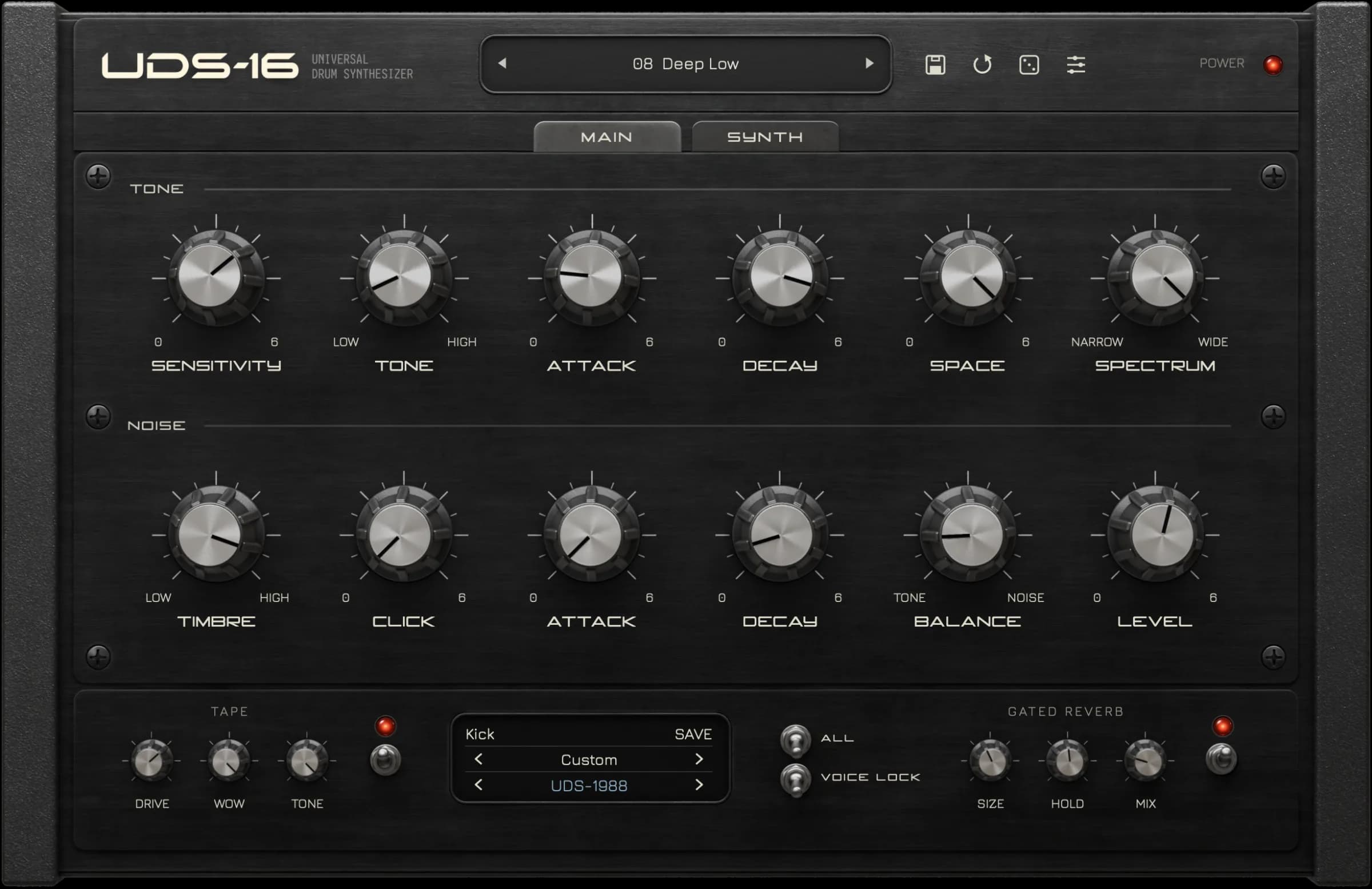
Tapechild UDS-16 puts tone, noise, click and separate pitch and amplitude envelopes in front of you, one control each. Sixteen voices, four synthesis models, every hit calculated as it sounds.
- 16 voices, no samples
- Four synthesis models
- Tape + gated reverb built in
- VST3 / AU / Standalone
04 / Types of drum synths
Four ways
to use drum synthesis.
You can use a standalone drum synth, add voices to a modular system, or work inside your DAW. These options overlap: a DAW instrument is also software, and hardware can use analog or digital synthesis. The main differences are the controls, connections and equipment you need.
Analog hardware
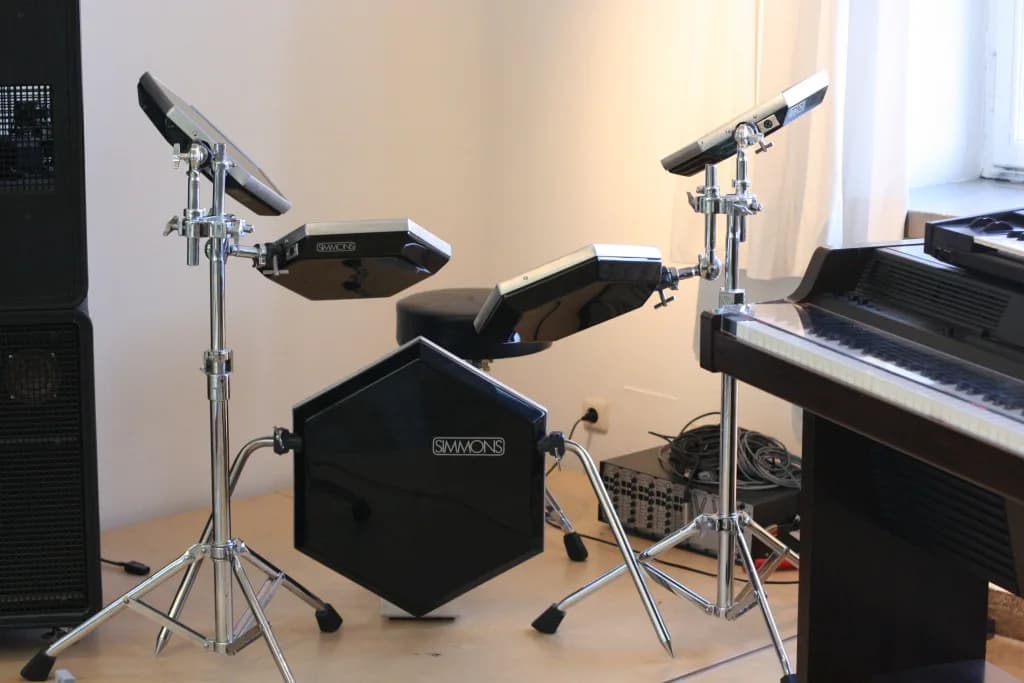
Analog drum synths generate sound with electronic circuits. Their controls shape the pitch, tone and decay of each voice. Some are standalone instruments; others are part of a drum machine or electronic drum kit. Our guide to analog drum machines explains which models use synthesis, samples or both.
Modular and Eurorack voices
Drum modules connect to a modular system through patch cables. Trigger signals start the sounds; control voltages can change parameters such as pitch and decay. You can build a kit from separate voices or use a module with several drum sounds. The setup also needs a compatible case, power and a way to trigger the modules.
Plugins
Drum synth plugins run inside your DAW and receive MIDI notes. They may model analog circuits, use digital synthesis or combine synthesis with samples. Compare their sound controls and supported formats in our drum synth plugin guide, or explore the free drum machine VST roundup.
Built into your DAW
Check the instruments included with your DAW before adding another plugin. A built-in drum synth may already provide the tone, noise and envelope controls needed for these recipes. Available instruments depend on your DAW edition; a sample-based drum rack alone does not generate sounds through synthesis.
Analog versus digital is a separate question from hardware versus software. Plenty of hardware drum synths run digital engines, and plenty of plugins model analog circuits. Software is a delivery format, not a sound: what it always adds is recall, automation and as many instances as your computer will run.
05 / Choosing one
Five questions
worth asking.
Preset count tells you nothing either way. These do.
- 01How does it sound at the edges?
Anything sounds fine at its defaults. Try extreme tuning, very short and very long decays, high resonance, hard velocity. What happens out there is the instrument’s actual character.
- 02How do you program a part?
Built-in sequencer, or MIDI from the DAW? Per-step probability, ratchets and parameter locks change how a pattern is written. If you sequence in your DAW, check what responds to automation.
- 03What does velocity do?
Ask what it is wired to. Velocity that only changes level is a volume control; velocity that also moves pitch decay, noise or filter is what makes repeated hits stop sounding identical.
- 04How fast do you reach a sound you wanted?
A good preset library is a legitimate answer to this — open one, pull layers out, see how it was built. What matters is whether you can get from an idea to a usable hit without a manual.
- 05What can you change separately?
Only relevant if you intend to shape hits rather than pick them. Separate tone, noise and transient controls, and independent decays, are what let you change one thing without moving the rest.
06 / Questions
What the guide
did not cover.
Do drum synths use samples?
A fully synthesized voice does not: every hit is calculated when the note fires. Plenty of instruments are hybrids, though, layering a sampled cymbal or a slice of vinyl noise over synthesized voices. If a sample-free signal path matters to you, check the voice engine specification — you cannot tell from the panel, because knob-per-function layouts appear on both kinds.
Can a synthesizer make drum sounds?
Yes. Any synth with a noise source, a filter and fast envelopes can make usable drums, and a kick needs only one oscillator. What a general-purpose synth may lack is a pitch envelope quick enough for the first few milliseconds of a kick, and a separate decay for the noise layer of a snare. Those two gaps are most of the reason dedicated drum synths exist.
Can you make 808-style drums with a drum synth?
Yes, because the 808’s drums were synthesized in the first place. Its kick is a resonant circuit struck by a short pulse, ringing at roughly 50–60 Hz with only a slight pitch drop at the start; published analyses of the circuit put that drop at around a semitone. So start a sine near 50 Hz, keep the pitch envelope shallow and quick, and set a long amplitude decay, from 400 ms to over a second. The deep 200 Hz to 50 Hz sweep in the kick recipe above gives a punchier, more modern kick instead. A sampled 808 gets you there faster, and pitching a sample is routine. The difference is what you can change afterwards: in the sample, the pitch drop, the decay and the click are one waveform, so shortening the tail shortens all of it, while a synthesized voice keeps them as separate controls.
Is a drum synth the same as a drum machine VST?
They overlap constantly. A drum machine usually means several voices plus a sequencer, so it hands you patterns as well as sounds, and its voices may be synthesized, sampled or both. A drum synth describes the engine only, and often leaves sequencing to your DAW. Many plugins sold as drum machines are synthesis-based, and many drum synths include a sequencer.
Do I need hardware, or is a plugin enough?
Either works. Hardware gives you one control per function and trigger inputs, at the cost of money, desk space and the time it takes to record audio. A plugin gives you total recall, unlimited instances and automation, at the cost of working through a screen. The sound does not decide this — the way you like to work does.
Real-time drum synthesis
Hear the settings
instead of reading them.
Tapechild UDS-16 is a percussion synthesizer built from tone, noise, click and separate envelopes — the same blocks this guide describes. Kicks, snares, hats, toms and metallic percussion, generated in real time, no samples.
What Is a Drum Machine? How It Works
Voices, sequencer and pattern memory: how a drum machine turns sounds into a groove.
Analog Drum Machines: Which Are Truly Analog
From the CR-78 to the Behringer RD-8: which machines synthesize every voice and which hide samples inside.
Soviet Drum Machines and Percussion Synthesizers
Formanta UDS, Lel UDS and the unusual electronic percussion instruments built in the USSR.
Gated Reverb: How the 1980s Drum Sound Works
The reverb-into-a-gate chain behind the decade's biggest snare, with settings and DAW recipes.