
Tapechild UDS-16 vs Ableton Drum Synths (2026)
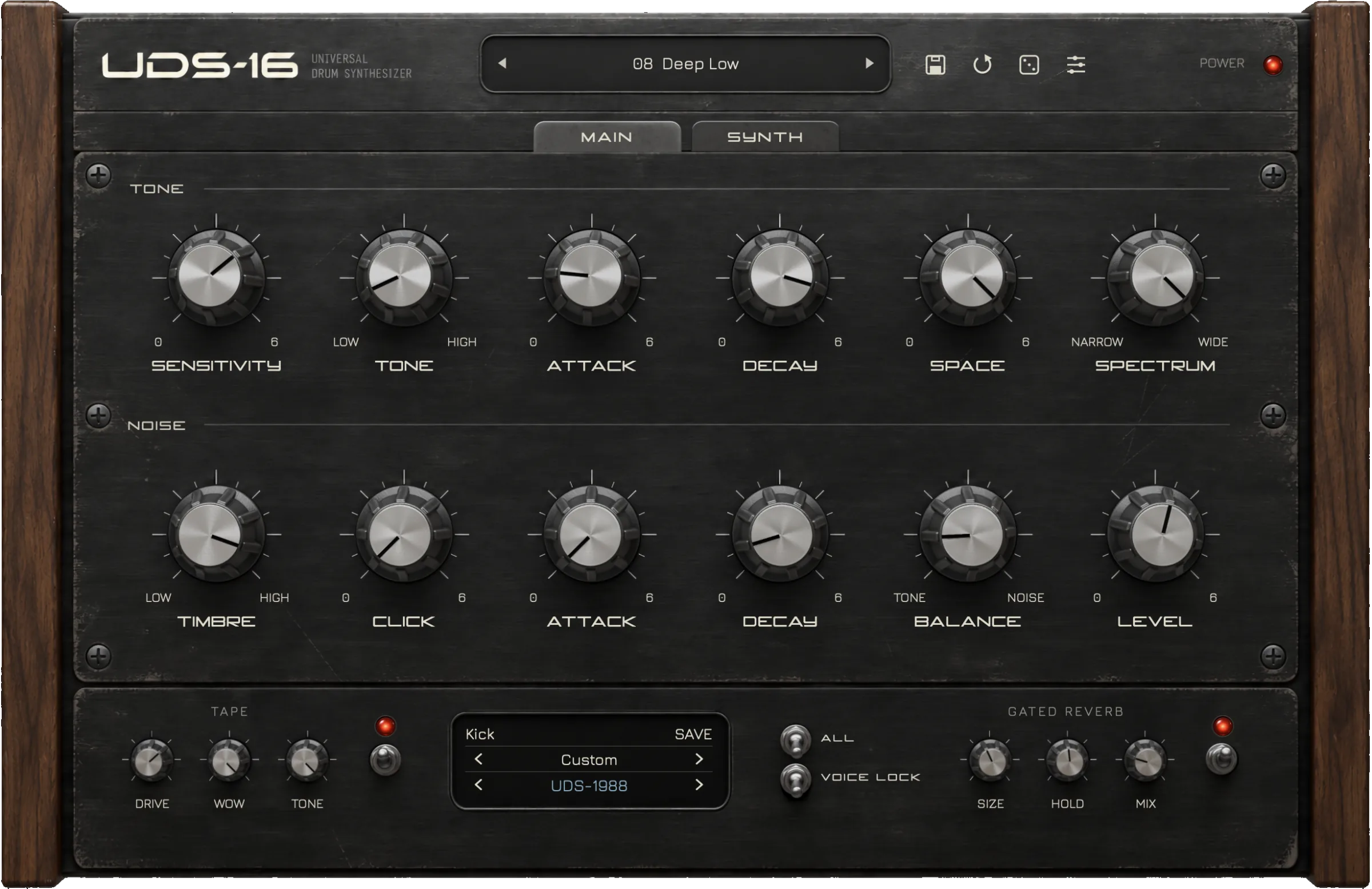
Ableton’s Drum Synths are eight small instruments built into Live 12 Standard and Suite, one drum each, meant to sit in a Drum Rack. Tapechild UDS-16 is a $49 plugin with sixteen synthesized voices and four circuit models in one window, and it runs in any VST3 or AU host. If you own Live, open the Drum Synths first; UDS-16 earns its price only when you want a character they do not have.
The short answer
Pick the Drum Synths if you own Live 12 Standard or Suite and want synthesized drums without spending anything. Each device is a single drum with a handful of sliders, it drops straight onto a Drum Rack pad, Live’s clip envelopes and modulation reach every control, and on Suite you can open any device in Max and change how it works. For a kick with a Drive slider, a snare that runs from acoustic to gated noise, or a clap with a Sloppy control, there is nothing to buy.
Pick UDS-16 if the sound you want is the Soviet Lel UDS or the Formanta Rockton, because its four circuit models are the whole point and Ableton does not model those machines. It also makes sense if you want sixteen voices, a Tape stage and a Gated Reverb in one instrument rather than one device per pad, or if your drums need to travel to Logic, Cubase or Reaper as the same plugin. For most Live users the honest answer is not yet: spend a month with the bundled devices and come back if you keep reaching for a sound they will not give you.
Ableton Drum Synths vs UDS-16 at a glance
| Ableton Drum Synths | UDS-16 | |
|---|---|---|
| Type | Eight single-drum instruments built into Live 12 Standard and Suite | One sixteen-voice drum synth plugin |
| Synthesis | Per device: sine, pulse, noise, impulse and FM sources with a few sliders each | Four models, chosen per drum: UDS-1987, UDS-1988, ROKTON, UDS-16 |
| Voices | One drum per device; kits are assembled in a Drum Rack | Sixteen independent voices on C2–D#3, each tuned on its own |
| Sequencer | None in the devices; Live’s clips do the timing | None; the DAW or a MIDI controller does the timing |
| Presets | Not stated on the official pages | Factory kits and single-drum presets for every model |
| Effects | Drive and filters inside some devices; Live’s effect devices after them | Tape (drive, wow, tone) and Gated Reverb (size, hold, mix), each bypassable |
| Formats | Live devices only; not available as VST3 or AU | VST3, AU, Standalone; no AAX, CLAP or Linux |
| OS | Live 12: macOS 11.7.10 to macOS 26, Windows 10 22H2 or Windows 11 | macOS 11.0+ (Universal 2), Windows 10/11 64-bit |
| Price at time of writing | Included with Live 12 Standard (USD 349) and Suite (USD 749); not listed as a separate pack | $49 one-time (list $79), no subscription |
| Try before buying | Live 12 Suite trial, 30 days | No trial; audio demos on the product page |
| Best for | Live owners who want free synthesized drums inside Drum Racks | Soviet-circuit character, one instrument for the whole kit, any DAW |
What Ableton Drum Synths does
Ableton’s editions page lists Drum Synths as “8 devices to create unique drum and percussion sounds using synthesis”, included with Live 12 Standard and Suite and absent from Intro. The Live 12 manual documents them under Max for Live Instruments: DS Kick, DS Snare, DS Clap, DS HH, DS Tom, DS Cymbal, DS FM and DS Clang. The Live 11 manual also listed a DS Sampler; the Live 12 manual does not, so the count today is eight. The old standalone pack page no longer exists, and the pack is not on Ableton’s packs listing as something you can buy on its own.
Each device is one drum with a short row of controls. DS Kick is a modulated sine wave with Pitch in hertz, Drive, an OT slider for harmonics, a Click switch and an Env amount for the pitch drop. DS Snare is a pitched oscillator plus noise, with Color for the tone, Tone for the noise and a choice of low-, high- or band-pass filter. DS Clap sends filtered noise and an impulse through panned delay lines, and Sloppy sets the time between them. DS HH blends noise and a sine with a white-or-pink toggle and a 12 or 24 dB filter slope. DS Tom is an impulse driving pitched oscillators with Bend for the envelope; DS Cymbal mixes sine and pulse waves with high-passed noise; DS FM is a small FM algorithm with Feedback, Amount and Mod; DS Clang is two tones plus white noise with a Clave switch. Every device has Pitch or Tune, Decay and Volume.
The design brief is visible in those controls: fast, readable, one drum per pad, with Live doing everything around it. You build a kit by placing devices in a Drum Rack, map the sliders to macros, automate them from clips, and reach for Live’s Saturator, Drum Buss or Reverb for the processing. On Suite, the Max for Live licence lets you open a device and rewire it. Official Drum Synths page
What UDS-16 does
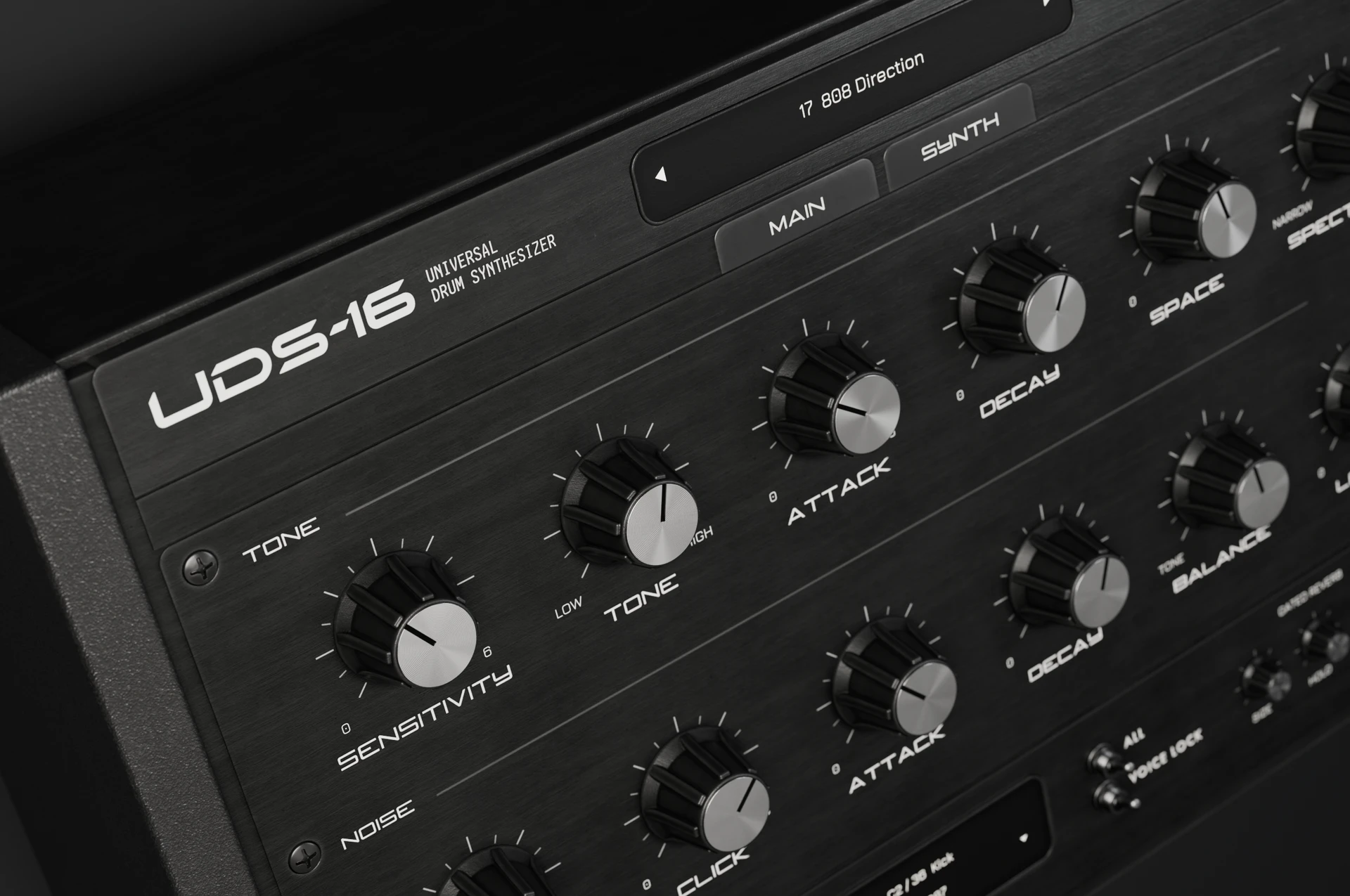
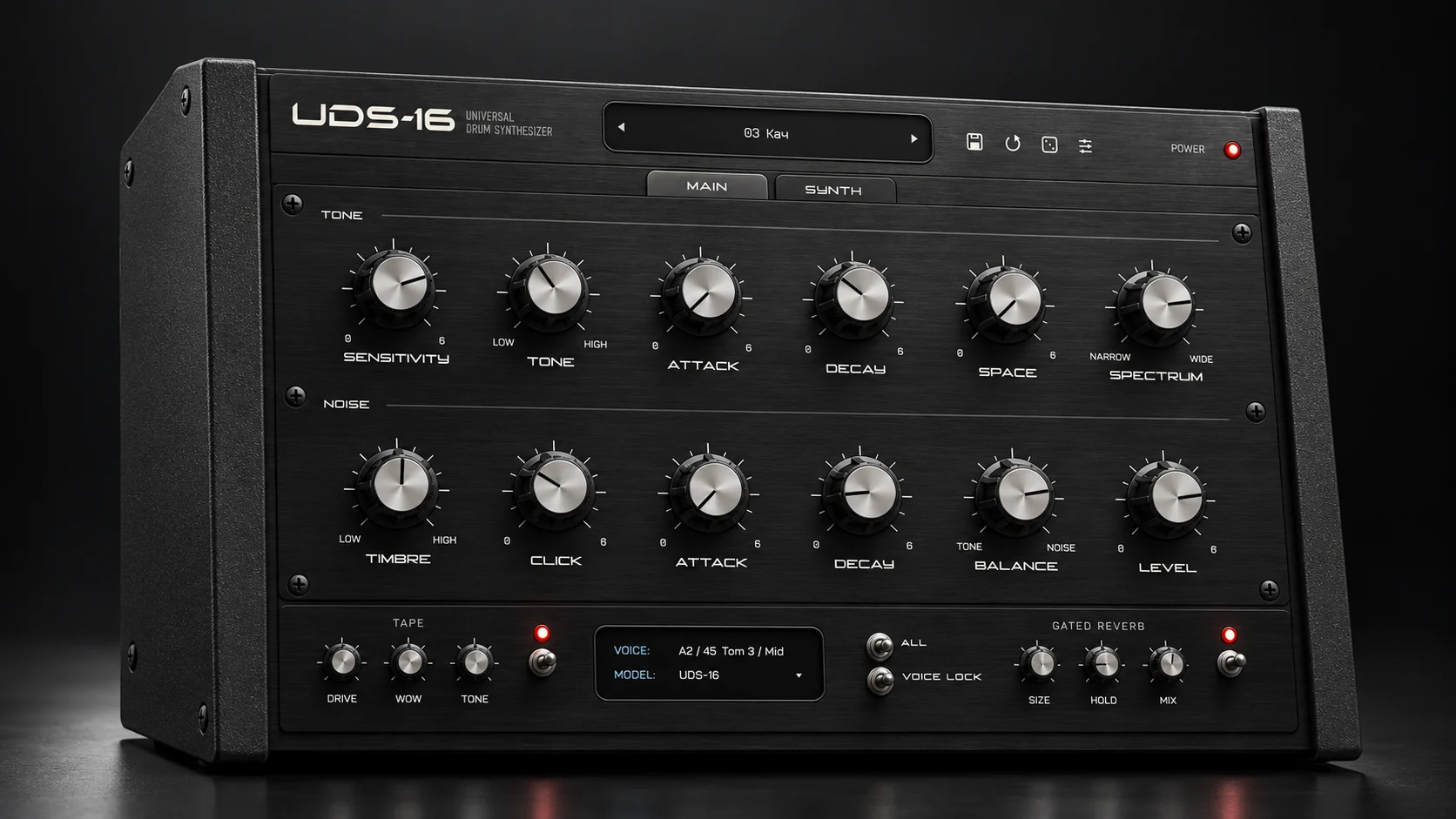
UDS-16 is a drum synthesizer plugin with sixteen independent voices mapped to C2–D#3, each tuned on its own, and every hit is synthesized at playback time. There is no sample library and no sample import. Each drum picks one of four models. UDS-1987 is a circuit model of a channel from the Soviet Lel UDS: a free-running tone, raw digital noise, a resonant click and an output stage that bites when pushed. UDS-1988 is a second voicing of that same channel, kept separate because the same knob positions land differently. ROKTON is inspired by the seven-channel Formanta Rockton, the box collectors call the Soviet 808, expanded to a sixteen-voice kit; its noise chain is an approximation, not bit-exact. UDS-16 is Tapechild’s own engine with no hardware original: a pitched body with its own pitch envelope, harmonics, a noise layer, a short transient, six inharmonic partials for metallic colour and a drive stage.
The main panel gives every voice a Tone section (sensitivity, tone, attack, decay, space, spectrum) and a Noise section (timbre, click, attack, decay, balance, level), and velocity changes the response. After the voices come a Tape stage with drive, wow and tone, and a Gated Reverb with size, hold and mix. Every processing stage can be bypassed, and the engine runs at up to 4× oversampling. Factory kits and single-drum presets ship for every model. Tapechild is not affiliated with the makers of the Lel UDS or the Formanta Rockton, and UDS-16 is not sold as an exact emulation of either. It was released in September 2026, so it is a young product from a small studio with a small preset ecosystem. Explore UDS-16
Sound and synthesis
Both instruments make drums from a tone, a noise source and envelopes; if that vocabulary is new, our guide to how drum synthesis works explains it. The difference is how many decisions each has already made for you, and in which direction.
A kick in DS Kick is a sine wave with a pitch envelope. You set Pitch in hertz, Env for how far the pitch falls, Decay for how long, then Drive and OT to add distortion and harmonics to a clean fundamental. It is a textbook electronic kick and stays one, because the sine is the only source. A kick in UDS-16 depends on the model. Under UDS-1987 the tone is free-running and the output stage bites when pushed, so the same note lands slightly differently each time and the drive is part of the voice rather than a stage after it. Under the UDS-16 model the body has its own pitch envelope, harmonics and a transient layer. DS Kick is cleaner and more predictable; the UDS models are dirtier and less stable by design.
The snare is where the two overlap most. DS Snare is a pitched oscillator plus noise with a filter type you choose, and Ableton describes its range as acoustic-style through to gated noise. UDS-16 builds a snare from the same two ingredients but with six controls on each side and the Gated Reverb built in, so the gated sound is a hold and a mix knob away rather than a Live reverb with a gate after it. Hats diverge again. DS HH blends noise and a sine with a white-or-pink toggle and a slope switch, which covers closed and open hats cleanly. UDS-16’s hats come from raw digital noise under the Lel models, or from the six inharmonic partials under its own model for a more metallic ring. DS Cymbal, DS FM and DS Clang have no equivalent in UDS-16, and FM percussion in particular is somewhere Ableton’s set goes and UDS-16 does not.
What the Drum Synths cannot do is sound like a specific circuit: they are general-purpose voices with no hardware reference, and the palette is fixed at eight drum types. What UDS-16 cannot do is FM, clave-style tuned percussion or a clean textbook 808 kick. Its four models pull in one direction, towards Soviet-era percussion and Tapechild’s own engine, and if that is not the record you are making, the extra voices do not help.
Workflow: sequencing, presets and the DAW
Neither has a step sequencer, so the difference is not where you sequence but how many instruments you manage. The Drum Synths are one device per drum: a kit is a Drum Rack with eight pads, each holding its own device, chain and effects. That is the most flexible arrangement Live offers, with per-pad outputs, per-pad macros and clip envelopes on every slider. If you already know what a drum machine is and work in Drum Racks every day, this is the workflow you have, with synthesis added to it.
UDS-16 is one plugin on one MIDI track. Sixteen voices answer sixteen notes from C2 to D#3, the kit is a single preset, and the Tape and Gated Reverb stages live inside the instrument. In Live that means one instance playing a clip, or one instance inside a Drum Rack pad receiving a note range; it does not spread its voices across pads on its own. The trade is less to route and save, and a kit that moves between sessions and DAWs as one file, against less per-drum control from Live’s side. On presets, UDS-16 ships factory kits and single-drum presets for every model, but the ecosystem around a product released in September 2026 is small, and Ableton’s official pages state no preset count for the Drum Synths, so there are no numbers to compare.
Formats, price and licensing
The Drum Synths are Live devices. They are not exported as VST3 or AU, so they exist only inside Live 12 Standard or Suite; Intro does not include them. Ableton’s shop lists Intro at USD 99, Standard at USD 349 and Suite at USD 749, and the editions page lists Max for Live, which is what lets you open and edit the devices, as Suite only. The pack is not on Ableton’s packs listing as a separate purchase. If you already own Standard or Suite, the Drum Synths cost nothing; if you do not, the question is not $49 against $349 but whether you want Live at all. Live 12 runs on macOS 11.7.10 through macOS 26 on Intel or Apple silicon, and on Windows 10 22H2 or Windows 11. A 30-day trial of Suite is offered.
UDS-16 is $49 one-time at the time of writing, list price $79, with no subscription and free updates within the UDS-16 line. The licence activates on up to three computers, online or offline, with no iLok. It ships as VST3, AU and Standalone on macOS 11.0 and later as a Universal 2 binary, and as VST3 and Standalone on Windows 10 and 11 64-bit through a signed installer. There is no AAX, no CLAP and no Linux build. There is no trial version; audio demos are on the product page. In Live, UDS-16 loads as a VST3 (or an AU on a Mac) like any third-party instrument, and the same licence covers the copy you open in another DAW.
Which one should you buy?
Buy Ableton Drum Synths if…
You own Live 12 Standard or Suite and have not opened DS Kick yet. You build kits in Drum Racks and want per-pad outputs, macros and clip modulation on every synthesis control. You want FM or clave-style tuned percussion next to the usual kick, snare and hat. You are on Suite and like the idea of opening a device in Max and changing it.
Buy UDS-16 if…
You have tried the bundled devices and keep wanting the Lel UDS or Rockton character they do not model. You want sixteen voices, Tape and Gated Reverb in one instrument and one preset rather than eight devices and eight chains. Your drums need to move between Live and another VST3 or AU host as the same plugin. You accept no trial, no AAX and a young product from a small studio.
Running both is the normal outcome for a Live user who buys UDS-16 at all. The Drum Synths stay in the Drum Rack for the clean general-purpose drums and the FM and clang sounds UDS-16 lacks; UDS-16 sits on its own track for the gated snares, unstable toms and Soviet-circuit percussion that nothing built into Live models. Neither replaces the other. If UDS-16 ends up muted in every session, the bundled devices were enough and the $49 was the wrong call, which is why we suggest a month with them first.
Other UDS-16 comparisons
- UDS-16 vs Microtonic
- UDS-16 vs AIR Drum Synth 500
- UDS-16 vs D16 Nepheton 2
- UDS-16 vs D16 Drumazon 2
- UDS-16 vs Arturia Spark 2
- UDS-16 vs Baby Audio Tekno
- UDS-16 vs DrumSpillage 2
- UDS-16 vs VSDS-X
- UDS-16 vs KICK 2
- Emergent Drums alternative
- 12 best drum synth plugins
Frequently asked questions
Is UDS-16 an Ableton Drum Synths alternative?
Only in a narrow sense. Both synthesize every hit and neither has a sequencer, but the Drum Synths are eight general-purpose single-drum devices built into Live 12 Standard and Suite, and UDS-16 is a sixteen-voice plugin built around circuit models of Soviet drum machines plus its own engine. If you want free synthesized drums inside Live, the bundled devices are the answer. UDS-16 is an alternative only if that character, or portability to another DAW, is what you are missing.
Ableton Drum Synths vs UDS-16 for techno and industrial?
For clean, tunable techno kicks and FM percussion, DS Kick and DS FM cover a lot with very few controls, and Live’s Saturator and Drum Buss finish the job. For the dirtier end, gated snares, unstable toms and a kit that drifts a little from hit to hit, UDS-16’s Lel models with the built-in Tape and Gated Reverb get there with fewer devices. Many producers in these genres would use both: the Drum Synths for the foundation, UDS-16 for the parts that should sound wrong on purpose.
Are the Drum Synths included in Live 12 Intro?
No. Ableton’s editions page lists Drum Synths as included with Live 12 Standard and Suite and marks them absent from Intro. Max for Live, which lets you open and edit the devices, is listed for Suite only. The pack is not on Ableton’s packs listing as a separate purchase at the time of writing, so the way to get the devices is to own Standard or Suite.
Does UDS-16 run inside Ableton Live?
Yes. UDS-16 loads as a VST3 on macOS and Windows, or as an AU on macOS, like any third-party instrument in Live. Put it on a MIDI track and play its sixteen voices from C2 to D#3, or place it in a Drum Rack pad and send that pad a note range. It does not split its voices across pads on its own and has no Max for Live integration, so Live’s per-pad macros apply to the instance rather than to individual drums.
Can I try either one before paying?
Ableton offers a 30-day trial of Live 12 Suite, which includes the Drum Synths and Max for Live, so you can test the devices in full. UDS-16 has no trial version; the product page carries audio demos of the four models instead. A Live owner should spend time with the bundled devices before deciding whether UDS-16’s character justifies $49.
If you own Live, start with the Drum Synths and give them a month. If you keep missing a particular character, Explore UDS-16 and listen to the demos of the four models. For the wider field, including drum synths that do have sequencers, see our guide to the best drum synth plugins.
Royalty-free WAV
Free sample packs
Royalty-free WAV, play every sample before you download.